
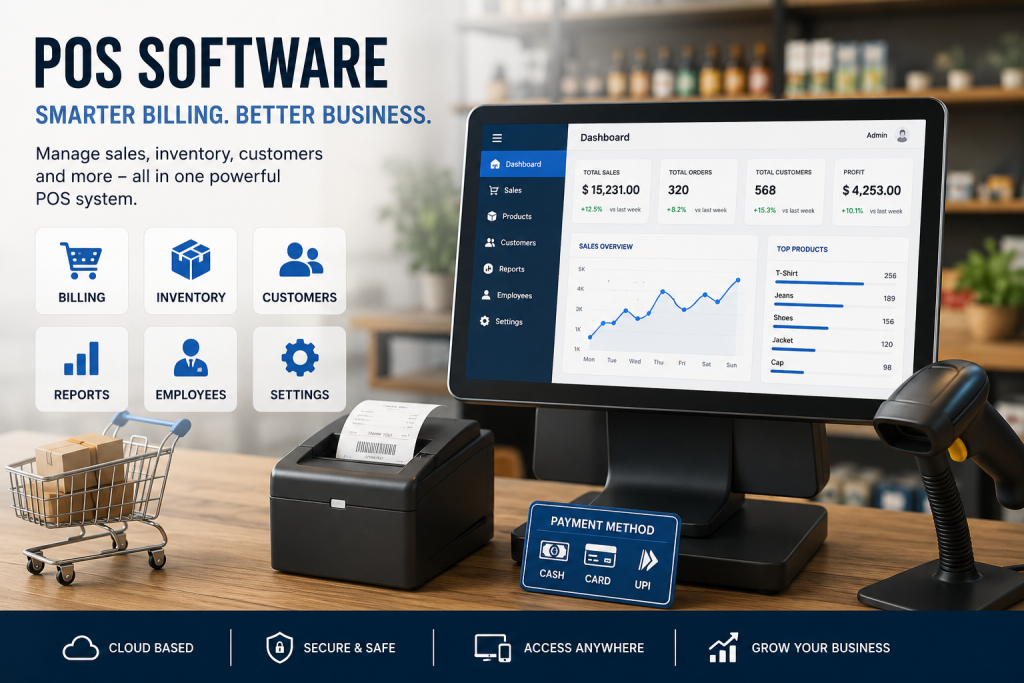
In today’s fast-paced business world, managing sales, inventory, customers, and staff manually is no longer efficient. This is where POS Software comes in. Whether you own a retail shop, restaurant, pharmacy, supermarket, or fashion store, a reliable POS system can simplify your daily operations and help your business grow faster.
What is POS Software?
POS (Point of Sale) Software is a digital system that helps businesses process sales transactions, manage inventory, track customer data, generate reports, and monitor overall business performance from one platform.
A modern POS system usually includes:
- Billing & invoicing
- Inventory management
- Barcode scanning
- Customer management
- Sales reporting
- Employee management
- Multi-store support
- Online payment integration
Why Businesses Need POS Software
1. Faster Billing Process
POS software speeds up checkout and reduces long customer queues. With barcode scanning and automated calculations, transactions become smooth and accurate.
2. Better Inventory Management
You can monitor stock levels in real time, receive low-stock alerts, and avoid overstocking or shortages.
3. Accurate Sales Reports
Business owners can view daily, weekly, or monthly sales reports instantly and make better decisions based on real data.
4. Improved Customer Experience
Many POS systems allow customer loyalty programs, discount offers, and purchase history tracking to improve customer satisfaction.
5. Employee Tracking
Track employee sales performance, attendance, and activities easily through the software dashboard.
Features of Modern POS Software
- Cloud-based access
- Mobile compatibility
- Multi-user management
- Secure data backup
- VAT & tax management
- Receipt printing
- Restaurant table management
- E-commerce integration
Types of Businesses That Use POS Software
POS software is useful for almost every industry, including:
- Retail stores
- Restaurants & cafés
- Grocery shops
- Pharmacies
- Electronics stores
- Clothing brands
- Salons & spas
- Wholesale businesses
Cloud POS vs Traditional POS
| Feature | Cloud POS | Traditional POS |
|---|---|---|
| Access | Anywhere | Local device only |
| Data Backup | Automatic | Manual |
| Cost | Subscription-based | Higher setup cost |
| Updates | Automatic | Manual |
| Flexibility | High | Limited |
How to Choose the Best POS Software
Before choosing a POS solution, consider:
- Your business size
- Required features
- Budget
- Customer support quality
- Ease of use
- Integration options
- Security features
Always choose software that can scale with your business growth.
Final Thoughts
POS Software has become an essential tool for modern businesses. It not only improves billing and inventory management but also increases efficiency, accuracy, and customer satisfaction. Investing in the right POS system can save time, reduce errors, and help your business operate more professionally.
If you want to grow your business digitally and manage operations smarter, implementing a reliable POS Software solution is a great step forward.